



Global Travel eSIM


Europe Travel eSIM


Asia Travel eSIM


Middle East Travel eSIM


Malaysia Travel eSIM


Singapore Travel eSIM


United Kingdom Travel eSIM


Saudi Arabia Travel eSIM


Australia Travel eSIM


India Travel eSIM
Global Travel eSIM
Europe Travel eSIM
Asia Travel eSIM
Middle East Travel eSIM
Australia Travel eSIM
India Travel eSIM
Malaysia Travel eSIM
Saudi Arabia Travel eSIM
Singapore Travel eSIM
United Kingdom Travel eSIM
Activate Your Travel eSIM & Start Your Seamless Connection
Follow these useful guides on how to get started with your eSIM.
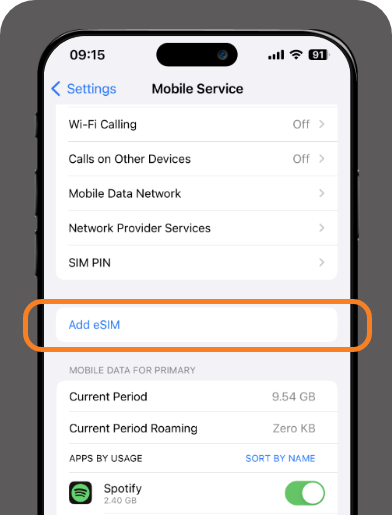
Step 1
Under settings, go to 'Mobile Services' then click on 'Add eSIM'
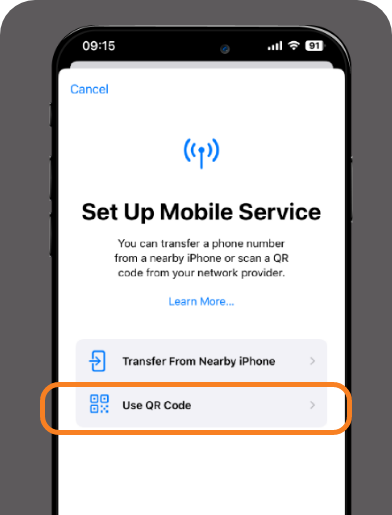
Step 2
Select 'Use QR Code' and scan the QR code sent to your email.
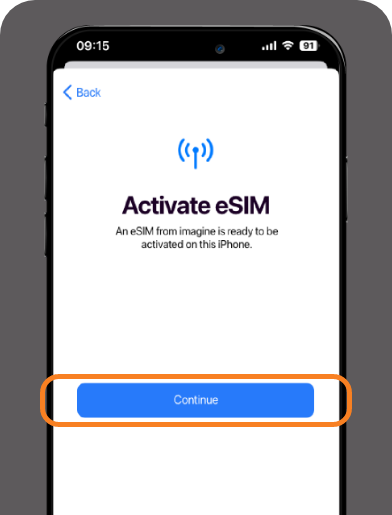
Step 3
Simply click 'Continue' to activate your eSIM.
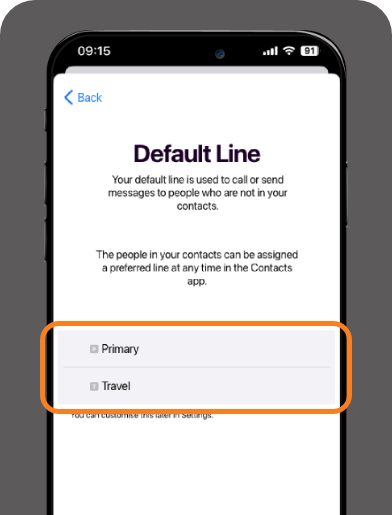
Step 4
Set your default line and your eSIM is ready to be used.
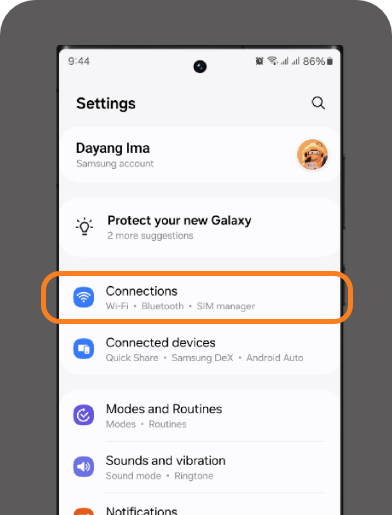
Step 1
Under settings, go to 'Connections'.
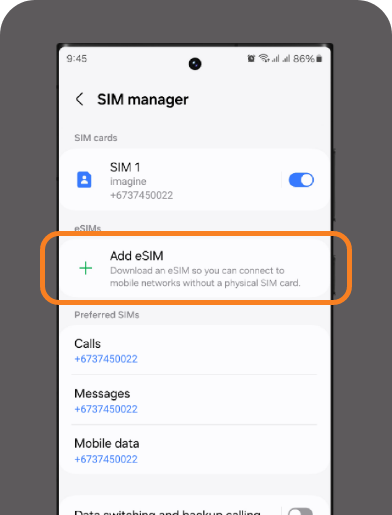
Step 2
Click on 'SIM Manager' and select 'Add eSIM.'
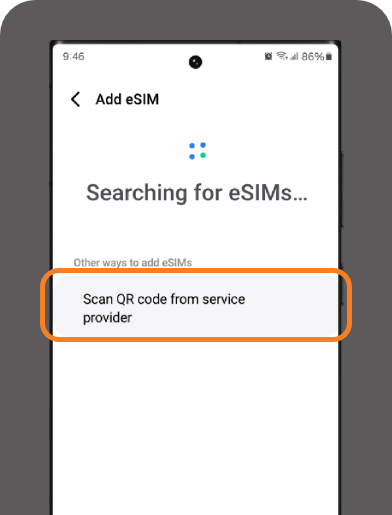
Step 3
Select 'Scan QR Code from Service Provider'.
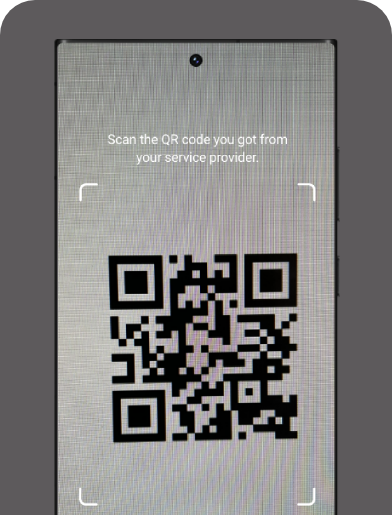
Step 4
Scan the OR sent to your email.
Step 5
Press 'Add' to activate your eSIM & your eSIM is ready to use!
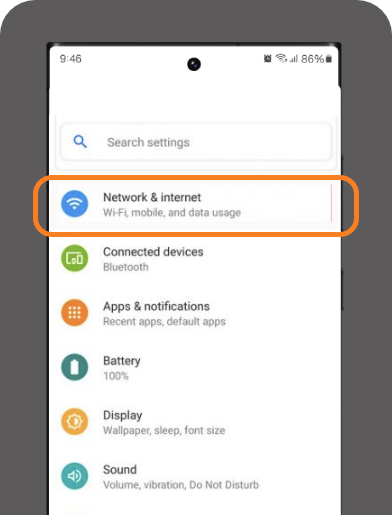
Step 1
Under settings, go to 'Network & Internet'
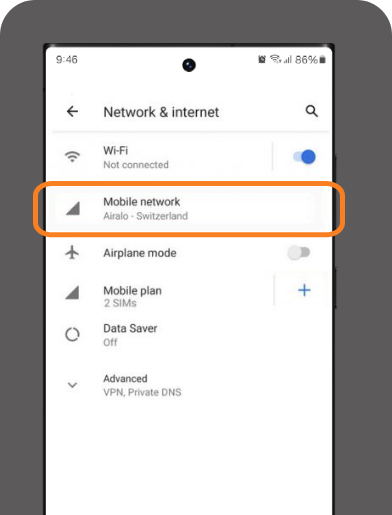
Step 2
Click on 'Mobile Network'
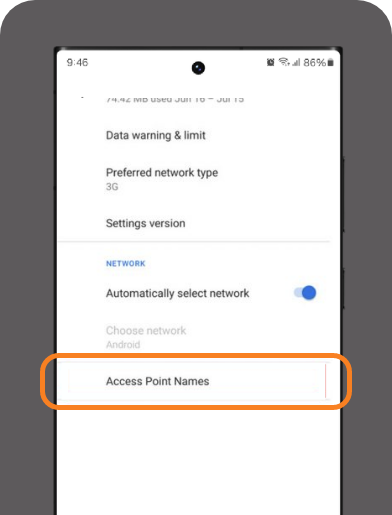
Step 3
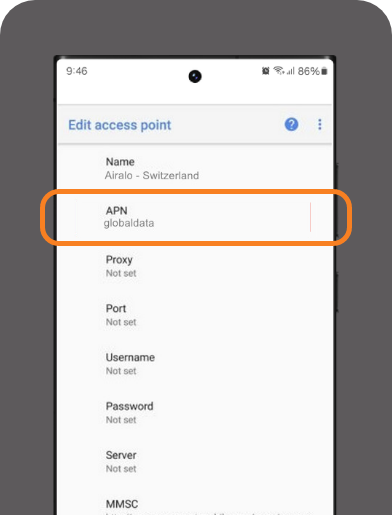
Scroll down and select 'Access Point Names'
Step 4
Change APN to the eSIM plan name (all in lowercase and no space) & you're done!
Is your device eSIM compatible?
Here's a comprehensive list of devices that support eSIM. You may also dial '#06#' to check if your device has an EID to support eSIM.
Frequently Asked Question
Travel eSIM is an Data only eSIM service you can use to travel worldwide without the use of physical SIM cards.
Once you have purchased your Travel eSIM, you will receive an email with an ICCID number attached. Fill in your respective ICCID number here.
You can purchase Travel eSIM via imaCare in our website at Travel eSIM.
Once you have purchased your Travel eSIM, you'll receive an SMS notification and a confirmation via email to activate your eSIM.
Step 1: Ensure your settings for APN & Data Roaming are switched on
Step 2: Go to your device settings and click 'Mobile Data/Cellular', then click 'Add eSIM'
Step 3: Scan the QR code as provided in your email or SMS
Step 4: Switch Mobile Data to imagine eSIM
Step 5: Once the activation is complete, your eSIM is ready to use
For further step-by-step guides, kindly visit the links below:
Key in *#06# in your phone’s keypad to display an EID.
If your phone displays an EID, your phone is eSIM compatible. Otherwise, this means your phone is not eSIM compatible.
Unfortunately, you cannot top up your Travel eSIM data at this time.
If you have used up your Travel eSIM data, you will need to purchase a new Travel eSIM plan.
For Imagine's Travel eSIM, it is only a data plan. Voice calls and SMS are not included in the plan.
To be eligible for a refund, kindly refer to the criteria in our Terms and conditions at the link provided here
In the case you are eligible for a refund, kindly Talk2Us at 111
You can install a maximum of 5 eSims in your device.
While you can install up to 5 eSims, you can only use up to 2 eSims concurrently on your device.
iPhone users will not have to do this as it is done automatically.
For some android devices, you may need to do it manually.
Step 1: go to ‘Network & Internet’ in your device settings.
Step 2: Click on ‘Mobile Network’.
Step 3: Scroll down and select ‘Access Point Names’.
Step 4: Change APN to the eSim plan name (all in lowercase and no space) & you’re done!
You may refer to the illustration here.
Yes. Imagine offers a New Unlimited Travel eSIM plan for selected destinations, including Malaysia, United Kingdom, Australia, Saudi Arabia, and India. This plan is available from 1st January 2026 onwards.
This Unlimited Travel eSIM provides unlimited data usage for 10 days, making it ideal for short trips without worrying about data limits.
The 10-day unlimited data validity starts once your Travel eSIM connects to a local network in the destination country.
Yes, the plan offers unlimited data usage for the duration of 10 days. However, fair usage policies (FUP) may apply, hence speed may be reduced if excessive usage is detected to ensure optimal network performance.
No. Similar to other Travel eSIM plans, the Unlimited Travel eSIM is data-only. Voice calls and SMS are not included.
Unlimited data packages are subject to a Fair Usage Policy. After a specified amount of data is used within a certain time period, you may experience temporary slow connection speed for the remainder of the day. For example, your connection speed may be reduced upon reaching the 3GB threshold in a day. Standard high-speed connectivity will automatically resume the following day, however this remains subject to the same daily 3GB usage threshold for the remainder of your package validity.